▲SQUARESUP
Scope my roof — free
What SquaresUp does · The whole job, one dashboard

Address in.
Quote out. Invoice sent.

SquaresUp is satellite roof measurement and estimating software for roofers. Type an address while the homeowner is still on the phone — it traces the roof, reads the pitch from LiDAR, builds the job piece by piece, prices it at your rates from the real catalog, and drafts the quote and invoice for your double-check. Nothing sends until you confirm it. This page walks through every part, with the real demo job's numbers.
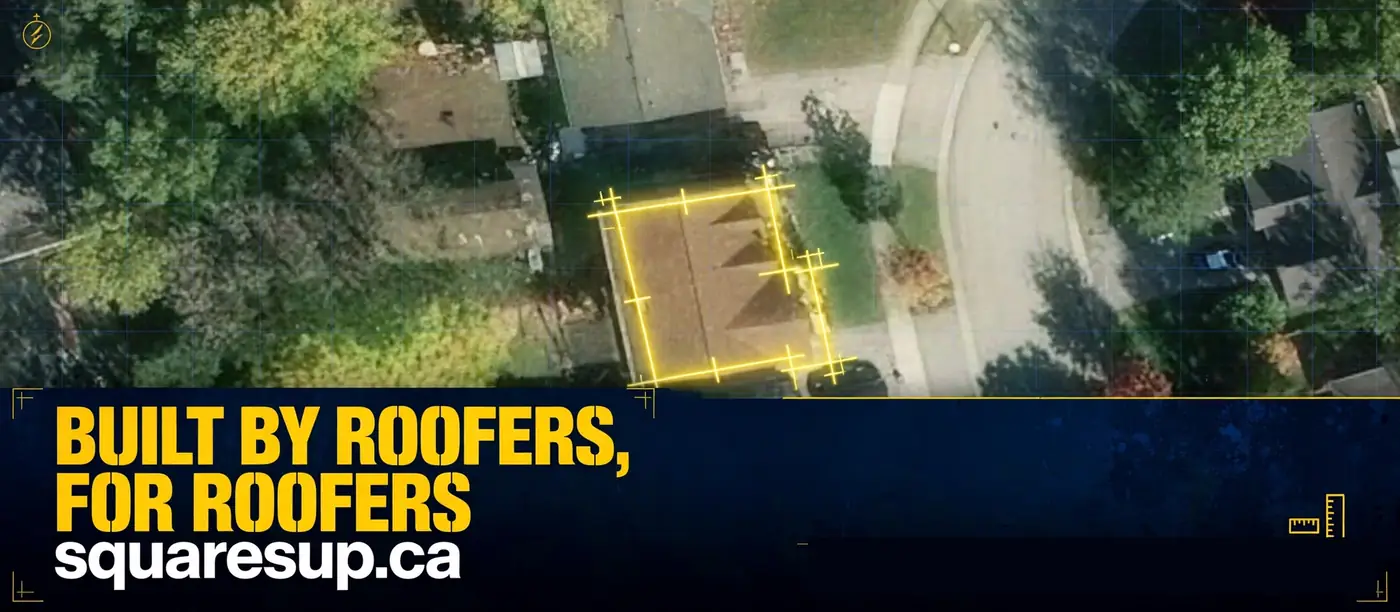
Satellite view of a real roof traced in a glowing yellow SquaresUp outline — Built by roofers, for roofers
01 · Measure

Satellite roof measurement

Any address. The footprint, the photo and the build — live, in about a minute.

Type an address and SquaresUp geocodes it, pulls the real building footprint from OpenStreetMap and the satellite photo from Esri World Imagery, then builds the roof back in front of you — footprint, planes, drip edge, ice shield, field shingles, ridge caps last — the same order it goes on.

Before anything sends, the scope stops at a matched-address confirmation: the page reads back "We found: <your address>" and the quote stays locked until you confirm that's the right house. A bad address gets a clean error and a retry, not a price on the wrong building.

Coverage is stated, never faked. If your town's buildings are mapped in OpenStreetMap, SquaresUp can scope it. Pitch comes from LiDAR where it's covered; where it isn't, the scope says so plainly, prices off the footprint, and flags the pitch for you to verify on site.

Scope your first roof — free →

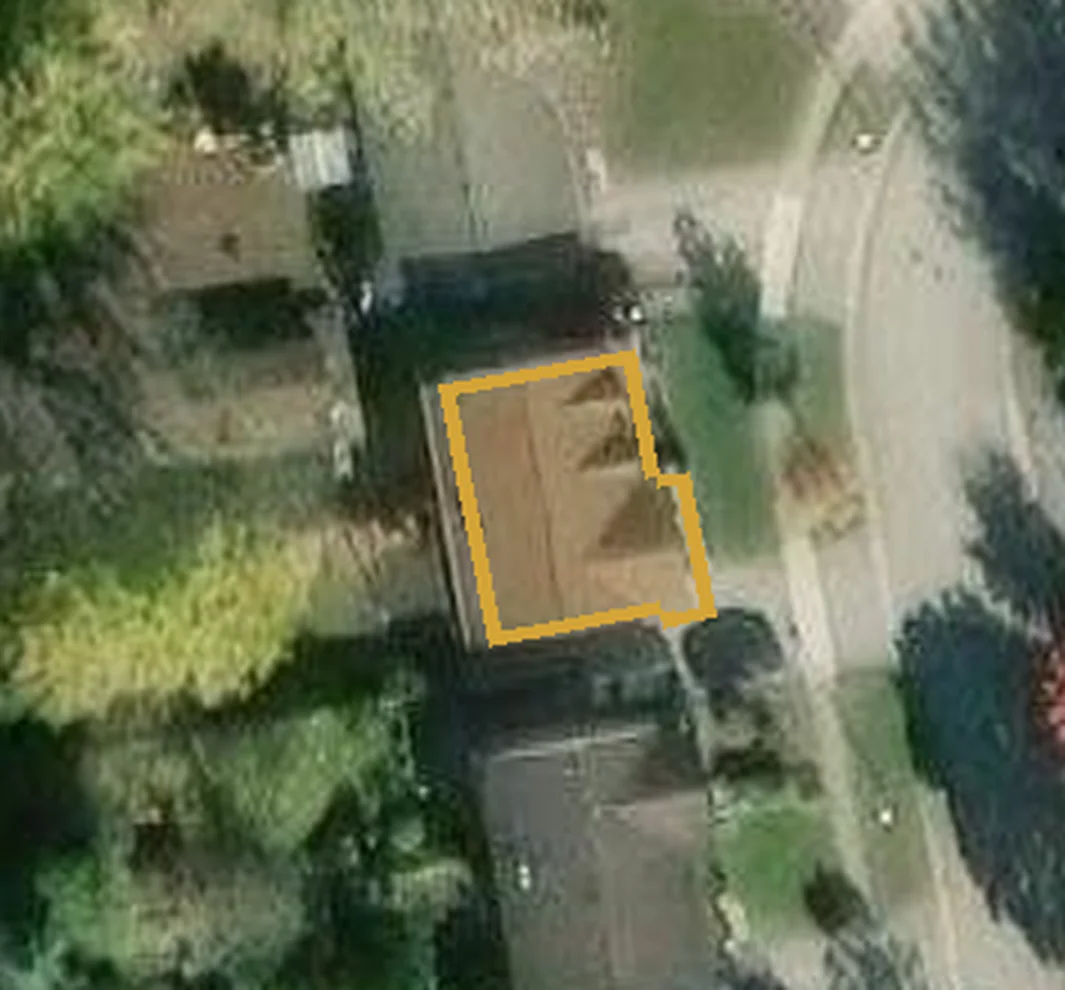
Satellite view of the SquaresUp demo job at 104 Augusta Crescent, London, Ontario, with the measured footprint traced in yellow
THE DEMO JOB — 104 AUGUSTA CRESCENT, LONDON, ON. REAL SATELLITE VIEW, REAL TRACE. RUN IT YOURSELF ON THE FRONT PAGE.
02 · Pitch & facets

Pitch from LiDAR, on the roof

The measurements sit on the diagram the way the pro reports do it — labelled, typed, sourced.

Pitch is read from Ontario LiDAR (the OMAFRA 2016–18 DSM survey), not guessed from a photo. Where the live provincial feed has no data for an address, a GeoHub DSM tile covers it — and the reading on screen carries its vintage tag, with a field-confirm before pricing locks.

The diagram follows the standards of the professional measurement reports: facet plates at each facet's centre with sloped area first (the number you order material by), every edge typed — eave, ridge, valley, hip, rake — with its length sitting on the line, and the provenance printed on the diagram: outline source, pitch source. A diagram that hides where its numbers came from reads as a guess.

See the demo job measured →

Demo job · 104 Augusta Cres. — the real numbers
Footprint (plan area)1,442 SQ FT
Sloped roof area1,515 SQ FT · 15.15 SQ
Pitch (LiDAR read)17.8° · ≈3.9/12
Facet A — sloped / plan698 / 665 SQ FT
Facet B — sloped / plan817 / 777 SQ FT
Eaves42 FT · 49 FT
Ridge44 FT
Rakes31 FT · 39 FT
Priced total (CAD)$8,519.01
03 · Quote

An itemized quote, at your rates

Real products, real prices, every line shown — right down to the nails.

The catalog is real products with real posted prices — BP Yukon SB, IKO Cambridge, BP Mystique 42, GAF Timberline HDZ, Owens Corning Duration, GAF Timberline UHDZ — checked at Canadian retailers. Tap a product to put it on the roof: it loads its price into your rates and re-prices the job live. Your own supplier price overrides any of them — retail is a starting point, your price is the number that counts.

The quote is fully itemized: ice shield, drip edge, shingles, underlayment, ridge caps, labour — even the nail count. Then it stops at the double-check screen: measurements, pitch, materials and total, reviewed by you before anything sends. The roofer stays in control; a chat message is never the send.

Price your first roof — free →

How a SquaresUp quote is built
1 · ScopeFOOTPRINT + PITCH
2 · Pick the systemREAL CATALOG
3 · Your ratesYOUR PRICES WIN
4 · Itemized linesDOWN TO THE NAILS
5 · Double-checkYOU CONFIRM
6 · SendONLY THEN
04 · Invoice & job file

Quote to invoice, one job file

The CRM lives inside the job — not on another board, in another app.

Win the job on the first call, invoice it on the same call: the quote becomes the invoice on the same job record, off the same numbers — no re-typing, no second system.

Every job opens as a job file: the address up top, satellite view and front-of-house view with image tabs to flick through, the measurements, the quote, the invoice, the job-day weather, and photos your crew adds from the phone. Customer details live inside the job they belong to.

Open your first job file — free →

Inside every job file
Address + viewsSATELLITE · STREET
MeasurementsON THE ROOF
Quote & invoiceSAME NUMBERS
Job-day weatherIN THE FILE
Crew photosFROM THE PHONE
Share to crewADDRESS + IMAGES
05 · Field-Verified

Earn the stamp. We stand behind it.

The remedy is in writing, before you pay — not after an argument.

The FIELD-VERIFIED stamp isn't handed out for scoping a roof from orbit — it's earned when the roofer field-verifies the job on the roof. Verified numbers become the numbers of record, and the remedy below stands behind them.

Dispute path, in one line: the check is a field-verified re-measure — your verified numbers off the roof, or a paid measurement report. If it shows we were off past the threshold, that job's report and quote are credited in full and the quote is re-issued from the verified numbers. While a measurement is under dispute, the quote is marked disputed — it does not send as final.

Your numbers, your terms: export them any time, they're deleted if you cancel, never sold and never shared — and your verified numbers never quietly sharpen a competitor's quote on the same house.

Read it on the front page →

The SquaresUp FIELD-VERIFIED ON THE ROOF stamp
THE VERIFIED-SQUARES REMEDY — If a job carries the Field-Verified stamp and a verified re-measure shows our scoped measurements were off by more than 3% of total roof area — or more than half a square (50 sq ft), whichever is greater — the re-measure is on us, and we credit that job's report and quote in full. Send us the re-measure; the credit lands on that job. No forms, no fight.

SquaresUp measures your roof from Ontario LiDAR. Checked against an independent LiDAR facet measurement on 621 homes in London, Ontario, its sloped roof area landed within 5% on 63% of roofs (median difference 3.6%) and its pitch within 2° on 86% (median difference 0.6°). Heavy tree cover still beats it on about 1 roof in 25 — those get flagged for a field check, and a field-verified number overrides the satellite read every time. This is cross-checked against a second measurement method, not a tape measure; the verified numbers our roofers confirm on the roof are what replace it.

06 · Voice measure

Yell it. Buddy writes it.

Field measurement for gloved hands — the phone sits on the roof, you keep working.

On the roof, tap Tap to Talk — or say the wake word, "Buddy" — and call out the measurement: pitch, eave, ridge, rake, area. Buddy shows the number it heard huge, beside the engine's number, and reads it back digit by digit ("one seven point eight") through your earbud.

Nothing saves without your confirm. A number that's way off the engine's reading detours through a second double-check before it can save, and every save keeps the old number with undo. Your shop can rename Buddy in settings. And on the roof, Buddy never talks money — no rates, no totals out loud; the money stays in the manager's seat.

Try the product free for 7 days →

A field measure, step by step
You yell"RIDGE — FORTY-FOUR"
Buddy shows it huge44 — BESIDE OURS
Read-backDIGIT BY DIGIT
You confirmONLY THEN IT SAVES
Way off?SECOND CHECK
Wrong tap?UNDO KEEPS THE OLD
07 · Crew & calendar

Crew share, lean calendar

The crew gets where to go and what's there. The money stays with you.

Every job file has a crew view — address, satellite and front-of-house images, day and time — that the crew opens on any phone with no account and no login. It never carries prices or rates.

Crew & Rates keeps your crew list with a planning rate per person (yours alone — planning rates, not payroll), and each job's estimated crew size and duration feeds the real labour math in the quote instead of one flat rate.

The calendar is a scheduler for roofers on the go — month and week views, jobs carrying weather flags, tap to open the job. Weather itself is a manager's safety guide: live wind and gusts for the job, plus a 16-day outlook for picking tear-off days (the last stretch labelled "outlook — can shift"). Whether to climb is always the roofer's call.

Line up your first job — free →

What the crew sees — and doesn't
Address + imagesYES
Day + timeYES
Needs an accountNO
Prices or ratesNEVER
Materials pricesNEVER
08 · Materials

The list lives in the job

Your list, your supplier account, your checkout. We carry the list — never the money.

Every job file carries its materials list — drip edge, ice shield, shingles, underlayment, caps, nails — built from the measurement. Owners and estimators get full add, remove and quantity control, freehand lines included; crew seats see the list view-only, with no prices. Once a quote is sent, its list version freezes; later edits start a new version, flagged as changed.

When you're ready, "Send to supplier" hands the whole list into your own supplier account — Home Depot or whoever you run with — and you check out there, on your account, your terms. SquaresUp never holds your payment and never places the order. Buddy can fetch the list and find the closest supplier to the job site; Buddy doesn't spend.

See what the flat rate replaces →

The custody rule
The listIN THE JOB FILE
The supplier accountYOURS
The checkoutTHE SUPPLIER'S
The paymentNEVER OURS
The order placed byYOU
Asked on the front page

Straight answers

These are the five questions built into the front page's Ask Buddy — with the answers it gives, word for word.

Does it cover my town?

If your town's buildings are mapped in OpenStreetMap, SquaresUp can scope it — type your address up top and see. Pitch comes from LiDAR where it's covered; where it isn't, the scope says so plainly, prices off the footprint, and flags the pitch for you to verify on site. Nothing is faked to fill a gap.

What do I get — measurements, or the whole price?

Both — and the whole run after them. You get the measurements (footprint, pitch, sloped area), the full itemized price right down to the nails, then the quote and the invoice off the same numbers. Watch the demo above: that's the whole product, not a teaser.

Who sees my address?

The address is the job — it's never sold and never shared. Your records are yours: export them any time, they're deleted if you cancel, and your numbers never sharpen a competitor's quote. The full terms sit inside, on the job's Verified Record.

Can my crew use it, or just me?

Your crew too. Every job file has a crew view — address, satellite, day and time — that the crew opens on any phone with no account and no login. It never carries prices or rates; the money stays with you.

I only do a few roofs a month — worth it?

Then don't subscribe. Scope per job instead: $10 a scope, no subscription — it's printed right under the demo button. The $79 CAD/mo plan earns its keep when you're scoping steady; a few roofs a month, pay per scope.

First scope free.
Then 7 days inside.

Scope your own roof free on the front page. Sign up with no card and the whole dashboard is yours for seven days — then $79 CAD/month flat, or $10 a scope. Built by roofers, for roofers.

Scope my roof — free Compare the pricing